
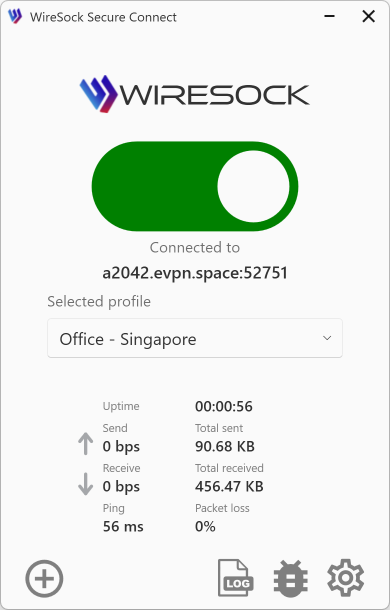
WireSock Secure Connect User Guide
This guide shows how to set up WireSock Secure Connect and connect to a WireGuard server.
Use the documentation menu to find what you need, or click a helpful link below.
NOTE
Important: WireSock Secure Connect works with all WireGuard protocol-compatible VPN servers or services but doesn't include a built-in VPN server. Instead, it is used to connect to your VPN service using a connection profile (.conf file).
How to Get Your Connection Profile
You need a connection profile to connect to a WireGuard protocol-compatible VPN server or service. This file contains the directives, parameters, and keys required to establish the client-server VPN connection.
Below, you'll find the options for getting your connection profile.
Using a VPN at work?
Your organization might provide a WireGuard server. If you installed WireSock Secure Connect at the request of your IT department, contact them for instructions and to obtain your connection profile.
Using a WireGuard VPN service or a private server?
Request a WireGuard configuration file from your VPN provider, or see the WireGuard quickstart to learn how to configure your own WireGuard server and generate a client configuration file.
We have listed several hosting providers as examples you can use to host a VPN server. You may choose any VPS provider at your discretion.
NOTE
These hosting providers are examples. WireSock Foundation does not assume responsibility for the quality of third-party services or any risks associated with them.
Don't know how to start?
Useful resources for getting a free WireGuard profile:
Install WireSock Secure Connect
Follow the instructions How to set up WireSock Secure Connect to install WireSock Secure Connect on your device.
NOTE
If you are deploying the application within an organization, review the centralized deployment options.
Install License
NOTE
This section applies only to the Pro version of the application.
In the Pro version, the application will prompt you to install your license after setup. This license is provided at the time of purchase.
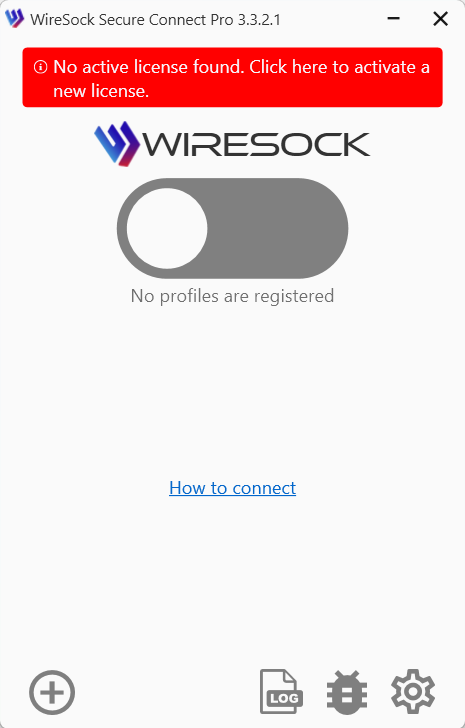
Click the license banner in the main window to open the License Management page and add your license to the application.
Review key features
See Key Features of WireSock Secure Connect for an overview of the main capabilities of the application and the benefits they provide.
Import Connection Profile
Import connection profiles to connect with a server.
Setup split tunneling
You can configure split tunneling to separate traffic based on applications and/or networks.
Apply advanced network configuration options
WireSock Secure Connect provides additional networking parameters that can be configured based on your requirements, such as Virtual Adapter Mode, TCP socket termination, and more.
Setup Sock5 Proxy
You can also configure a SOCKS5 proxy to increase anonymity and bypass advanced blocking.
Get Connected
Connect to your WireGuard VPN server.