
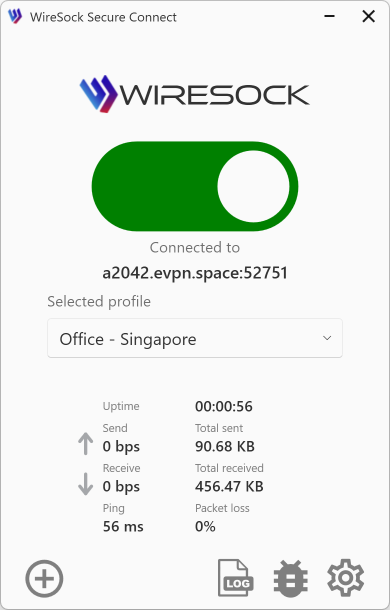
WireSock Secure Connect SDK (WSC SDK)
WireSock Secure Connect (WSC) ships with an SDK intended for developers who want to:
- build their own VPN client/solution based on WireGuard, or
- embed VPN capabilities into an existing Windows application.
The SDK provides the same core tunnel and traffic-control building blocks used by WSC itself: kernel-mode networking components, a C/C++ API for tunnel lifecycle management, and a reference client implementation.
Distribution
- WSC Free: the SDK is distributed as a separate package.
- WSC Pro: the SDK is included in the main product distribution, but can also be shipped as a separate package.
The SDK is published as a separate product with downloads for multiple Windows architectures (x64, x86, ARM64). See:
What’s inside
At a high level the SDK contains:
Windows drivers and system components
Components responsible for packet interception/filtering and for creating a virtual network adapter used for tunnel adapter mode.
wgboosternative library (C/C++ API)A native library that implements the core functionality required to configure and establish a WireGuard tunnel, control traffic routing and filtering policies, and query tunnel state.
The public C API is exposed via
include/wgbooster.hand implemented by thewgboosterDLL.wiresock-clientreference clientA native command-line client and Windows Service implementation that provides “VPN client baseline” functionality and demonstrates how to drive the
wgboosterlibrary.In WSC documentation this component is exposed as
wiresock-client.exe.
Components in detail
1) Drivers and tunnel modes
The SDK supports two operational approaches that are reflected in the SDK components and the reference client:
- NAT / single-tunnel mode (basic tunnel)
- Tunnel adapter / dual-tunnel mode (enhanced routing & filtering)
In the reference service code these are described as:
- NAT mode (
wgb) - Tunnel adapter mode (
wgbp)
Additionally, the service defines the adapter display name as:
Wiresock Virtual Adapter(orWiresockPro Virtual Adapterfor Professional builds)
2) wgbooster library
The SDK’s primary integration surface is the C API declared in wgbooster.h.
API families
The API is split into two families:
wgb_*: Transparent Mode — the tunnel works without a virtual network adapter.wgbp_*: Virtual Adapter Mode — the tunnel creates the WireSock virtual network adapter (the same mode as the-lacoption ofwiresock-client.exe).
Both families have a similar lifecycle:
- Create a manager handle:
wgb_get_handle[_ex]orwgbp_get_handle[_ex] - Create a tunnel (from file or from in-memory structs)
- Start/stop tunnel
- Query state and statistics
- Drop tunnel and release handle
Tunnel creation options
You can create tunnels:
from a WireGuard client configuration file
wgb_create_tunnel_from_file/wgb_create_tunnel_from_file_wwgbp_create_tunnel_from_file/wgbp_create_tunnel_from_file_w
from in-memory settings
wgb_create_tunnel/wgb_create_tunnel_exwgbp_create_tunnel/wgbp_create_tunnel_ex
The *_ex variants use extended settings structs (for example, wgb_interface_ex, wgb_extra_ex).
Notable capabilities (non-exhaustive)
From the public header and exports, wgbooster supports:
- Tunnel state/statistics:
wgb_get_tunnel_state,wgb_get_tunnel_active(andwgbp_*equivalents) - Network lock (Kill Switch) control:
wgb_set_network_lock_mode/wgb_get_network_lock_mode(andwgbp_*equivalents) - Crash-recovery helpers for network lock:
wg_is_network_lock_active(detect orphaned driver-level lock state)wg_reset_network_lock(reset driver lock state)
- TCP socket termination helper:
wgb_drop_all_tcp_sockets(andwgbp_drop_all_tcp_sockets) - Application allow/deny lists (in
wgb_extra_ex):allowed_apps,disallowed_apps - IP exclusions (in
wgb_extra[_ex]):ignored_ips - SOCKS5 proxy support (in
wgb_extra_ex.socks5) - Script hooks around tunnel up/down (in
wgb_interface_ex):pre_up,post_up,pre_down,post_downwith timeout
Integrating wgbooster into your app
The expected integration pattern is:
- link against the import library / load the DLL
- include the C header
- implement a log callback (
void (*log_printer)(const char*)) to receive library logs - optionally implement an event callback (
void (*event_logger)(wg_tunnel_event)) when using*_get_handle_ex
3) wiresock-client reference client (CLI + Windows service)
WSC exposes a CLI called wiresock-client.exe. The documentation describes:
- running as a console app (
run) - installing/uninstalling a Windows service (
install,uninstall) - importing a config file into a protected location (
import)
See:
From the service header and CLI docs, the reference client/service supports:
-config <path>-fallback-config <path>-log-level <error|info|debug|all>-lac(tunnel adapter mode)-network-lock <enabled|disabled|on|off>
The import workflow uses Windows DPAPI to encrypt configuration files and save them with a .dpapi extension (for protected storage and service-mode access).
Typical usage scenarios
Scenario A: Embed VPN in your own application
Use wgbooster directly:
- your application provides a UI / configuration management
wgboosterprovides the tunnel lifecycle, routing/filtering policies, and kill switch control
This option is best if you need a fully custom product experience.
Scenario B: Automate a baseline client
Use wiresock-client.exe as a reference implementation:
- for integration tests
- for headless deployments
- as a starting point for your own service wrapper
Notes and limitations
- The SDK and reference client are Windows-specific.
- Some operations (drivers, service installation, system-wide routing/filtering) may require Administrator privileges.
Related documentation
- SDK installation / package contents
- WSC CLI:
wiresock-client.exe - WSC SDK releases and downloads